
How to Build Your Cheap Gaming Setup Without Looking Cheap
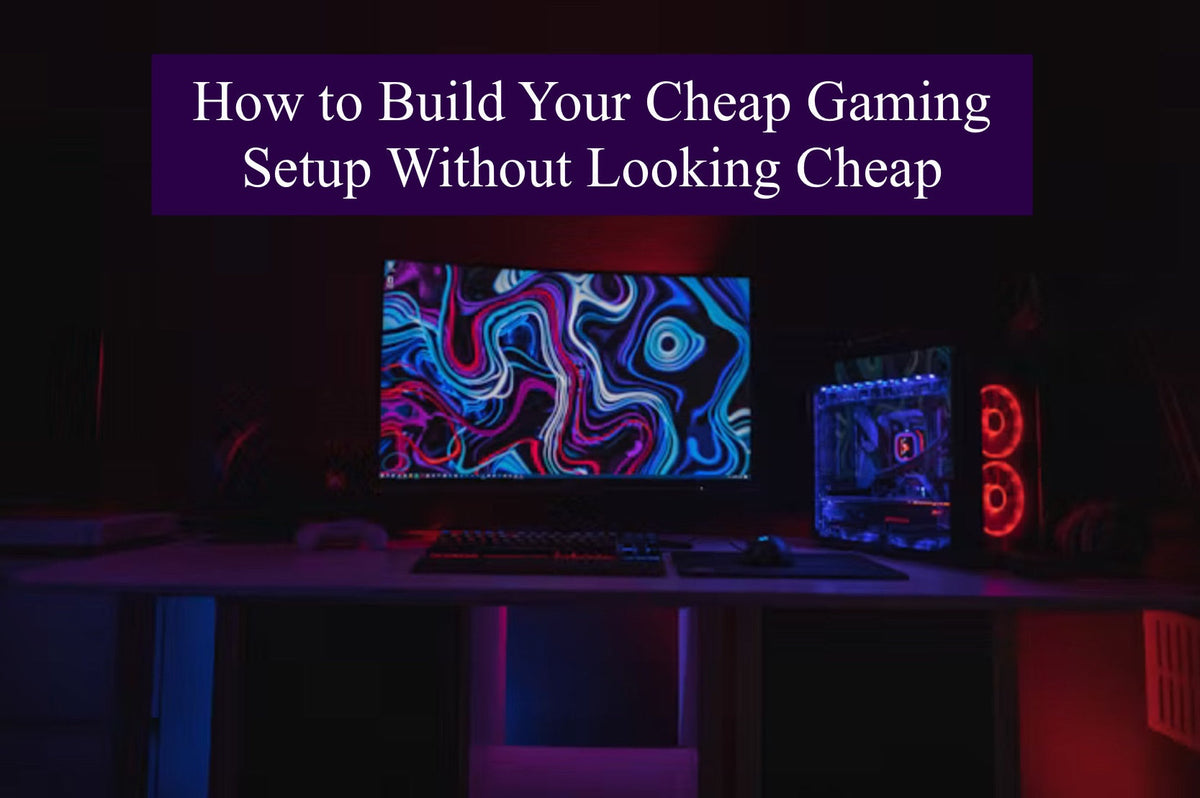
Building a great gaming setup doesn't require a massive budget. In fact, many gamers make the mistake of spending too much money on RGB lights and trendy accessories while ignoring the things that actually improve the gaming experience.
The secret to creating a successful cheap gaming setup is prioritizing the right upgrades and making smart design choices. A clean, organized, and functional setup often looks better than an expensive desk filled with unnecessary gadgets.
In this guide, we'll break down how to build a budget-friendly gaming setup that feels comfortable, looks impressive, and leaves room for future upgrades.
Recent gaming setup guides consistently emphasize that ergonomics, display quality, and desk organization have a bigger impact than expensive decorative accessories.
Why Most Cheap Gaming Setups Fail
Many budget setups fail because people buy things in the wrong order.
A common mistake is spending money on:
- RGB gadgets
- Decorative lights
- Gaming-branded accessories
Before investing in aesthetics, focus on functionality.
Several budget setup experts recommend prioritizing comfort, display quality, and input devices before cosmetic upgrades.
Step 1: Build Around Your Available Space
A great gaming setup starts with the room itself.
Small Room Gaming Setup
If you're working with limited space:
- Use vertical storage
- Choose compact desks
- Avoid oversized furniture
- Keep accessories minimal

Make Corners Work
Corner desks often maximize available space while creating a dedicated gaming area.
Many modern gaming desk recommendations focus on space efficiency rather than size alone.
Step 2: Focus on the Monitor First
Many gamers underestimate how much a monitor affects their experience.
Why Monitors Matter
You look at your monitor every second you're gaming.
A smoother display often improves the experience more than expensive accessories.
Recent budget gaming guides consistently rank the monitor as the most important setup upgrade.

Budget Tips
If money is limited:
- Buy a better monitor first
- Upgrade accessories later
Step 3: Create a Clean Desk Layout
A setup can instantly feel more premium when it's organized.
Keep Only Essentials on the Desk
Try limiting visible items to:
- Monitor
- Keyboard
- Mouse
- Headset
Everything else should have a designated storage space.

Why This Works
Clean setups feel:
- More professional
- Less distracting
- More comfortable
Step 4: Master Cable Management
One of the cheapest upgrades is also one of the most effective.

Simple Cable Solutions
Use:
- Velcro ties
- Cable clips
- Cable trays
- Under-desk organizers
Budget setup experts frequently rank cable management among the highest-value upgrades because it dramatically improves the appearance of a desk.
Step 5: Choose Practical Accessories
The best gaming accessories solve actual problems.

Worthwhile Budget Accessories
Consider:
- Large desk mats
- Monitor risers
- Headset stands
- Cable organizers
Many budget setup recommendations include desk mats and mouse pads because they improve comfort while helping create a cleaner visual appearance.
Step 6: Personalize Your Setup Without Overspending
A cheap gaming setup doesn't have to look generic.

Add Personality Through Themes
Popular styles include:
- Fantasy gaming
- Anime-inspired setups
- Minimalist gaming
- Cozy gaming spaces
- RPG-themed desks
Instead of buying expensive collectibles, small details can create a stronger visual identity.
Step 7: Use Stickers Strategically
Many gamers overlook stickers as a setup upgrade.
Best Places for Gaming Stickers
Try decorating:
- Laptops
- Storage boxes
- Monitor stands
- Console accessories

SEE MORE BADDY ARMOR STICKERS HERE
Focus on Consistent Themes
Rather than covering every surface, choose stickers that fit your overall setup aesthetic.
Fantasy, chibi, and gaming-inspired designs often work especially well in personalized setups.
Step 8: Upgrade Your Mouse Pad
A mouse pad may seem like a small detail, but it occupies a large portion of the desk.
Why Mouse Pads Matter
A quality gaming mouse pad can:
- Improve comfort
- Protect the desk surface
- Unify your setup's visual style
Themed Mouse Pads Create a Stronger Look
Many gamers now use extended desk mats instead of traditional mouse pads because they make the desk appear more organized.
Fantasy-themed and anime-inspired designs from brands like Baddy Armor can help tie together gaming and decorative elements without requiring major investments.

Budget setup guides frequently list large desk mats as one of the highest-impact upgrades relative to cost.

CHECK BADDY ARMOR MOUSE PADS HERE
Step 9: Upgrade in Stages
The best gaming setups are rarely built overnight.
Phase 1: Functionality
Focus on:
- Monitor
- Mouse
- Keyboard
- Desk
Phase 2: Comfort
Add:
- Better chair
- Desk mat
- Cable management
Phase 3: Personalization
Introduce:
- Stickers
- Artwork
- Decorative accessories
This approach prevents overspending while creating steady improvements.
Step 10: Don't Chase Expensive Trends
Social media often creates unrealistic expectations.
Remember
A great gaming setup isn't about:
- Expensive furniture
- Triple monitors
- Massive RGB collections
It's about creating a space you genuinely enjoy using.
Many budget-focused gaming experts emphasize thoughtful planning over expensive hardware purchases.
Cheap Gaming Setup Checklist
Before buying anything, ask:
Does it improve comfort?
Does it improve performance?
Does it improve organization?
Does it fit my theme?
If the answer is yes, it's probably worth considering.
Budget Breakdown Example
| Budget | Focus |
|---|---|
| Under $100 | Desk organization, mouse pad, stickers, cable management |
| Under $250 | Monitor upgrades, peripherals, comfort accessories |
| Under $500 | Better desk, chair, monitor, complete setup refresh |
| $500+ | Advanced personalization and premium upgrades |
FAQ
What is a cheap gaming setup?
A cheap gaming setup is a gaming workspace built on a limited budget while still providing comfort, functionality, and a good gaming experience.
How much does a cheap gaming setup cost?
Many gamers can create a solid setup for under $250 by focusing on essentials and upgrading gradually.
What should I buy first for a gaming setup?
Most gaming setup experts recommend prioritizing the monitor, followed by the mouse, keyboard, and desk organization.
Are mouse pads important for gaming?
Yes. A quality gaming mouse pad improves comfort, consistency, and overall desk appearance.
Do stickers improve a gaming setup?
Stickers help personalize gaming spaces and can reinforce a consistent theme when used thoughtfully.
How can I make my gaming setup look expensive?
Focus on cable management, organization, consistent colors, and quality accessories rather than buying expensive decorations.