
Gaming Desk Setup Checklist: Everything You Need for the Perfect Gaming Space
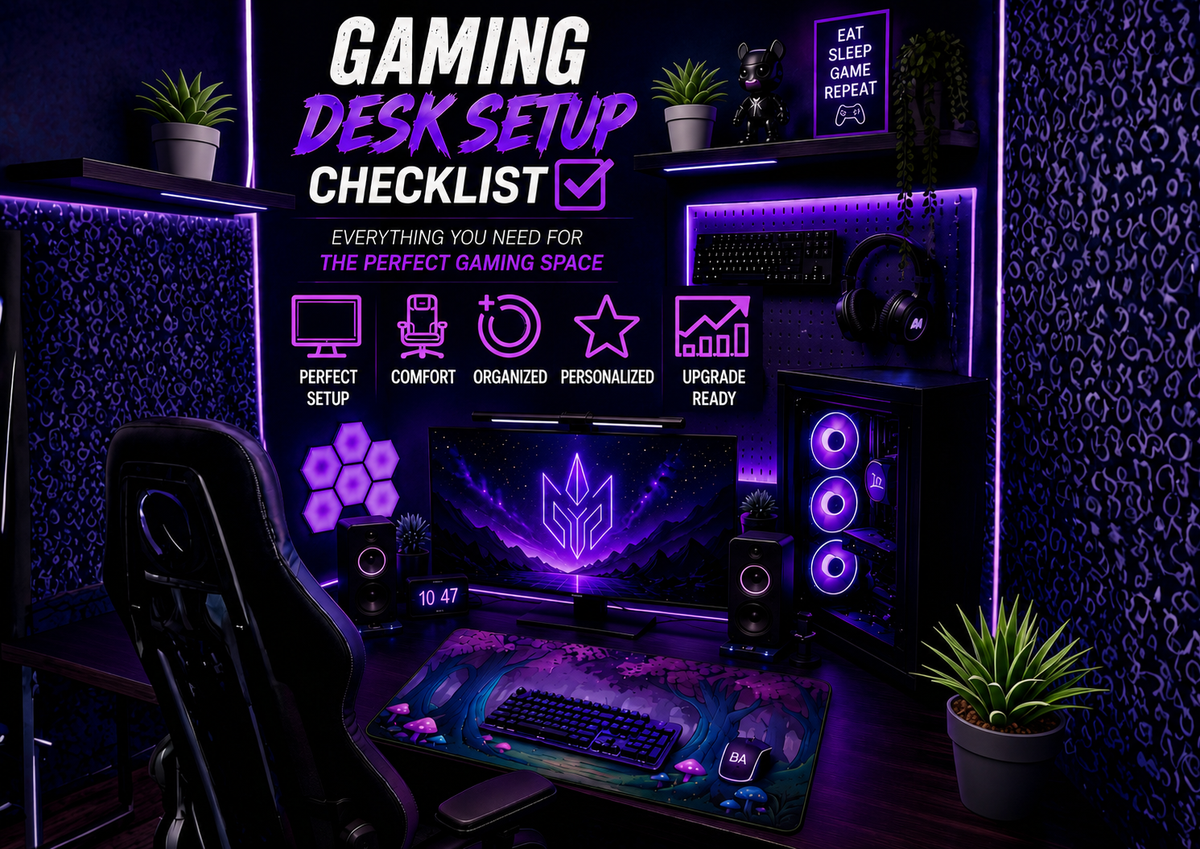
Building a great gaming desktop setup is about more than buying the latest hardware. The best gaming desks are thoughtfully organized, comfortable to use, and designed around the games you play every day.
Whether you're creating your first setup or upgrading an existing space, it's easy to overlook important details. That's why having a complete desk setup for gaming checklist can save you time, money, and frustration.
This guide covers everything you should consider when building a gaming desk—from ergonomics and cable management to personalization and long-term upgrades.
Why a Gaming Desk Setup Checklist Matters
Many gamers focus only on performance upgrades.
They buy:
- New graphics cards
- Faster monitors
- Mechanical keyboards
But often forget about the environment where they spend hours gaming.
A well-planned gaming desk setup can improve:
- Comfort
- Organization
- Focus
- Productivity
- Overall gaming enjoyment
Core Gaming Desk Setup Essentials
Before adding decorations or accessories, make sure your foundation is solid.
1. Reliable Gaming PC or Console
Every setup starts with the gaming device itself.

PC Gamers Should Consider
- CPU performance
- Graphics card
- RAM capacity
- Storage speed
Console Gamers Should Consider
- Storage expansion
- Controller charging solutions
- Monitor compatibility
The goal is to build your setup around your preferred gaming platform.
2. Quality Monitor
Your monitor affects every gaming session.

Important Factors
- Resolution
- Refresh rate
- Response time
- Screen size
Many gamers discover that upgrading their monitor creates a larger improvement than upgrading other peripherals.
3. Comfortable Gaming Chair
A chair often gets less attention than gaming hardware.
However, it's one of the most important purchases in any gaming desktop setup.

Look For
- Adjustable height
- Lumbar support
- Comfortable armrests
- Durable materials
Comfort becomes increasingly important during longer gaming sessions.
4. Gaming Desk
Your desk is the centerpiece of your setup.

Choose Based on
- Available space
- Monitor size
- Storage needs
- Future upgrades
A desk doesn't need to be expensive to be effective.
The best desks provide enough room for comfortable gaming and organization.
Gaming Peripherals Checklist
Once the foundation is complete, focus on the devices you interact with most.
5. Gaming Keyboard
Choose a keyboard that matches your playing style.

Popular Options
- Mechanical keyboards
- Compact keyboards
- Wireless keyboards
Consider comfort and functionality before aesthetics.
6. Gaming Mouse
A gaming mouse should feel natural in your hand.

Key Features
- Adjustable DPI
- Comfortable grip
- Reliable sensors
- Durable switches
The right mouse can significantly improve gameplay.
7. Headsets or Speakers
Audio is often overlooked during setup planning.

Gaming Headset Benefits
- Immersive sound
- Team communication
- Reduced distractions
Speaker Benefits
- Better room audio
- Easier sharing
- More natural listening experience
Choose based on your gaming habits.
Desk Organization Checklist
A clean desk often feels more enjoyable to use.
8. Cable Management System
Messy cables can make even expensive setups look cluttered.

Helpful Tools
- Cable sleeves
- Velcro straps
- Cable clips
- Under-desk trays
Good cable management creates a cleaner and more professional appearance.
9. Storage Solutions
Keep frequently used items accessible.

Examples
- Controller stands
- Headset holders
- Desk drawers
- Small organizers
Organization helps maintain a clutter-free workspace.
10. Monitor Placement
Monitor positioning affects comfort more than many gamers realize.

Ideal Placement
- Eye-level viewing
- Comfortable distance
- Minimal neck strain
Monitor arms can help create a more flexible layout.
Personalization Checklist
Once the essentials are covered, it's time to make the setup your own.
11. Choose a Theme
Popular gaming setup themes include:
Fantasy
Inspired by RPGs and magical worlds.
Anime
Character-driven and colorful.
Minimalist
Clean and distraction-free.
Cyberpunk
Futuristic and vibrant.
Cozy Gaming
Comfort-focused and relaxing.
A clear theme helps your setup feel intentional.
12. Gaming Stickers
Small details can make a surprisingly large impact.

Many gamers personalize:
- Laptops
- Monitor stands
- Storage boxes
- Water bottles
Character-driven and fantasy-inspired sticker collections have become especially popular among gamers looking to add personality without spending a fortune.

CHECK MORE BADDY ARMOR STICKERS HERE
13. Extended Mouse Pad
An extended mouse pad does more than improve mouse movement.
Benefits
- Protects the desk surface
- Creates visual consistency
- Improves comfort
- Helps define the gaming space
Fantasy-themed and chibi-inspired desk pad can also serve as decorative elements within a gaming setup.

CHECK MORE BADDY ARMOR MOUSE PADS HERE
Many gamers choose themed mouse pads from brands like Baddy Armor to coordinate with their overall aesthetic without adding clutter.
Comfort Upgrade Checklist
Comfort often determines how enjoyable a setup feels long-term.
14. Wrist Support
Helpful for:
- Long gaming sessions
- Typing
- Productivity tasks
15. Proper Lighting
Lighting affects both mood and eye comfort.
Consider
- Desk lamps
- Bias lighting
- Ambient room lighting
Good lighting can make your setup feel more welcoming.
16. Airflow and Temperature
A comfortable room contributes to a better gaming experience.
Simple improvements include:
- Desk fans
- Better ventilation
- Organized cable routing
Future Upgrade Checklist
Not everything needs to happen immediately.
Plan future upgrades for:
Streaming
- Webcam
- Microphone
- Lighting
Productivity
- Second monitor
- Desk shelves
- Additional storage
Personalization
- Wall art
- Collectibles
- Decorative accessories
Building gradually often leads to better purchasing decisions.
Common Gaming Desk Setup Mistakes
Buying Everything at Once
Start with essentials and upgrade over time.
Ignoring Ergonomics
Comfort should always come before aesthetics.
Overcrowding the Desk
More accessories don't always improve a setup.
No Theme or Direction
A consistent style often looks better than random additions.
Quick Gaming Desk Setup Checklist
Essentials
- Gaming PC or console
- Monitor
- Gaming desk
- Chair
Peripherals
- Keyboard
- Mouse
- Headset
Organization
- Cable management
- Storage solutions
Comfort
- Lighting
- Wrist support
Personalization
- Stickers
- Mouse pad
- Theme-based accessories
FAQ
What is a gaming desktop setup?
A gaming desktop setup is a dedicated gaming space that includes a computer or console, monitor, peripherals, furniture, and accessories designed for gaming.
What should every desk setup for gaming include?
At minimum, a gaming setup should include a monitor, gaming device, desk, chair, keyboard, mouse, and proper cable management.
Are extended mouse pads worth it?
Yes. They improve comfort, protect the desk surface, and create a more cohesive appearance.
Why are gaming stickers popular?
Gaming stickers provide an affordable way to personalize laptops, desks, and gaming accessories.
How do I organize my gaming desk?
Use cable management tools, storage accessories, and a consistent layout to reduce clutter.
Should I choose a theme for my gaming setup?
Yes. Themes help create a more visually appealing and cohesive gaming environment.